
English
Best practices for installing a Go development environment on macOS (Apple Silicon)

Background
Recently I got my own MacBook Pro. After getting a new machine, the first thing was naturally to set up the development environment. To make it convenient to check configuration details later, I decided to record these processes.
Note: My machine is Apple Silicon (ARM64) architecture, but this guide is a general best practice for installing a local Go development environment on macOS.
1. Install Go
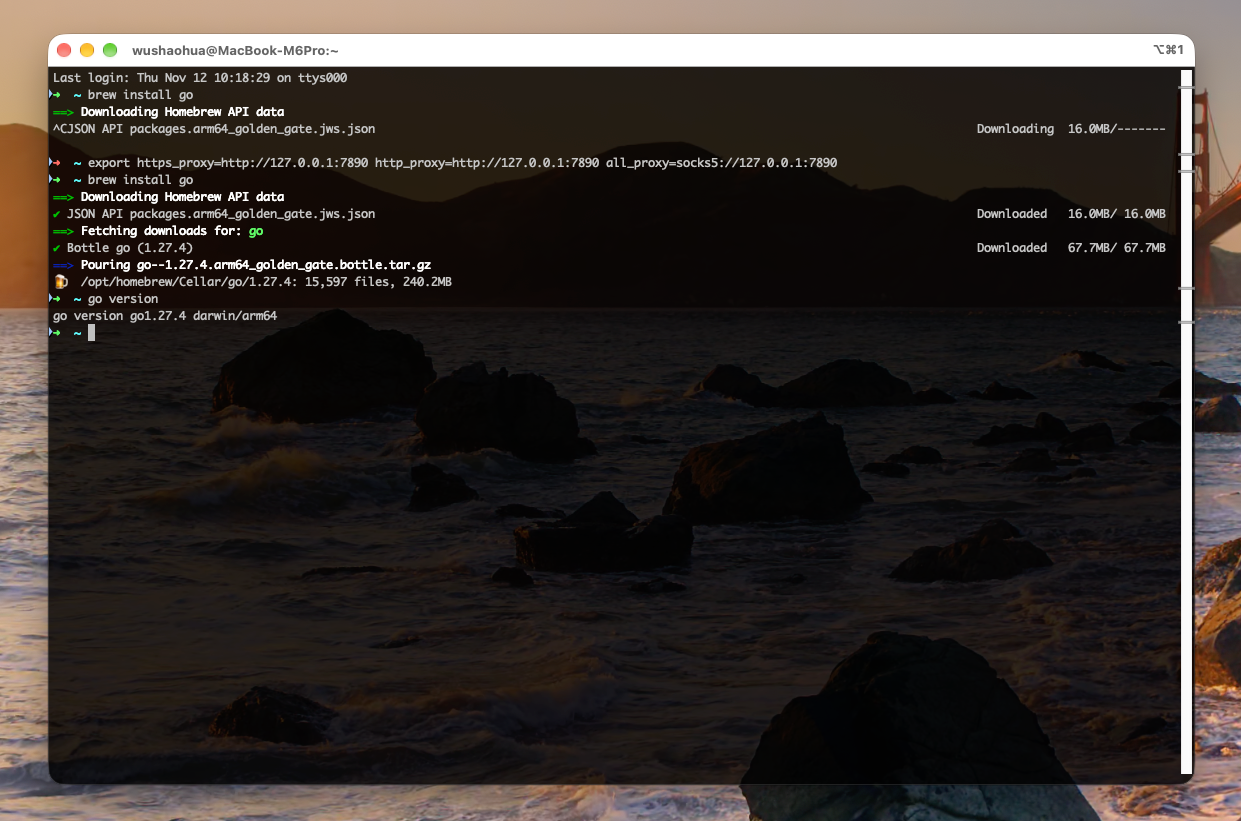
Installing Go via Homebrew is the most convenient and quickest way:
bash
brew install goReminder
Before running the installation command, please make sure your network connection is working properly (or the terminal proxy has been configured) to reduce unnecessary waiting time!
II. Configure the Environment
After installation is complete, we need to configure environment variables, which relates to where subsequent code is stored and how dependencies are downloaded.
2.1 Create a custom GOPATH and related directories
By default, GOPATH is $HOME/go To keep the home directory tidy, I habitually customize the workspace directory:
bash
mkdir -p $HOME/workspace/go/{src,pkg,bin}Note
If you do not plan to modify the default GOPATH path, you only need to execute mkdir -p $HOME/go/{src,pkg,bin} That will suffice.
2.2 Configure environment variables
For ease of management, it is recommended to write the following configuration directly into your shell configuration file (such as ~/.zshrc).
1. Configure the GOPATH environment variable
bash
export GOPATH=$HOME/workspace/go2. Take GOPATH/bin appended to the system's PATH In environment variables
This way you pass go install The installed binary tools can then be called directly globally:
bash
export PATH=$PATH:$GOPATH/bin2.3 Configure Proxy environment variables (essential for users in China)
Due to network reasons, domestic users who get stuck when pulling dependencies need to configure the Go module proxy:
bash
export GO111MODULE=on
export GOPROXY=https://goproxy.cn,direct
Note
Only for mainland China users who cannot normally access the international internet, you may need to configure this item. If you have a global proxy environment, you can skip this step.
III. Verify Installation
After completing the above configuration, reload your shell configuration file:
bash
source ~/.zshrcThen check the Go version to confirm that the installation and configuration have taken effect:
bash
go version
# Output example: go version go1.27.4 darwin/arm64