
English
Blog SEO technical refactoring: from 6 clicks per month to stable Google indexing
1. Problem exposed: It’s been almost a year since launch, so why only a few dozen clicks?
On August 30, 2025, my tech blog officially went live. As the personal tech blog of a Golang developer, I carefully write every post, covering areas such as Linux, Kubernetes, Golang source code analysis, and CI/CD practices.
Almost a year later, I went to check the data in Google Search Console (hereinafter referred to as GSC), and the results were confusing:
| Time period | Total clicks | Total impressions | average click-through rate | Average ranking |
|---|---|---|---|---|
| Past 28 days | 6 | 48 | 12.5% | 13.9 |
| Past 6 months | 11 | 898 | 1.2% | 26.3 |
| Since launch (12 months) | 28 | — | 0% | 30.9 |
GSC 28-Day Performance Report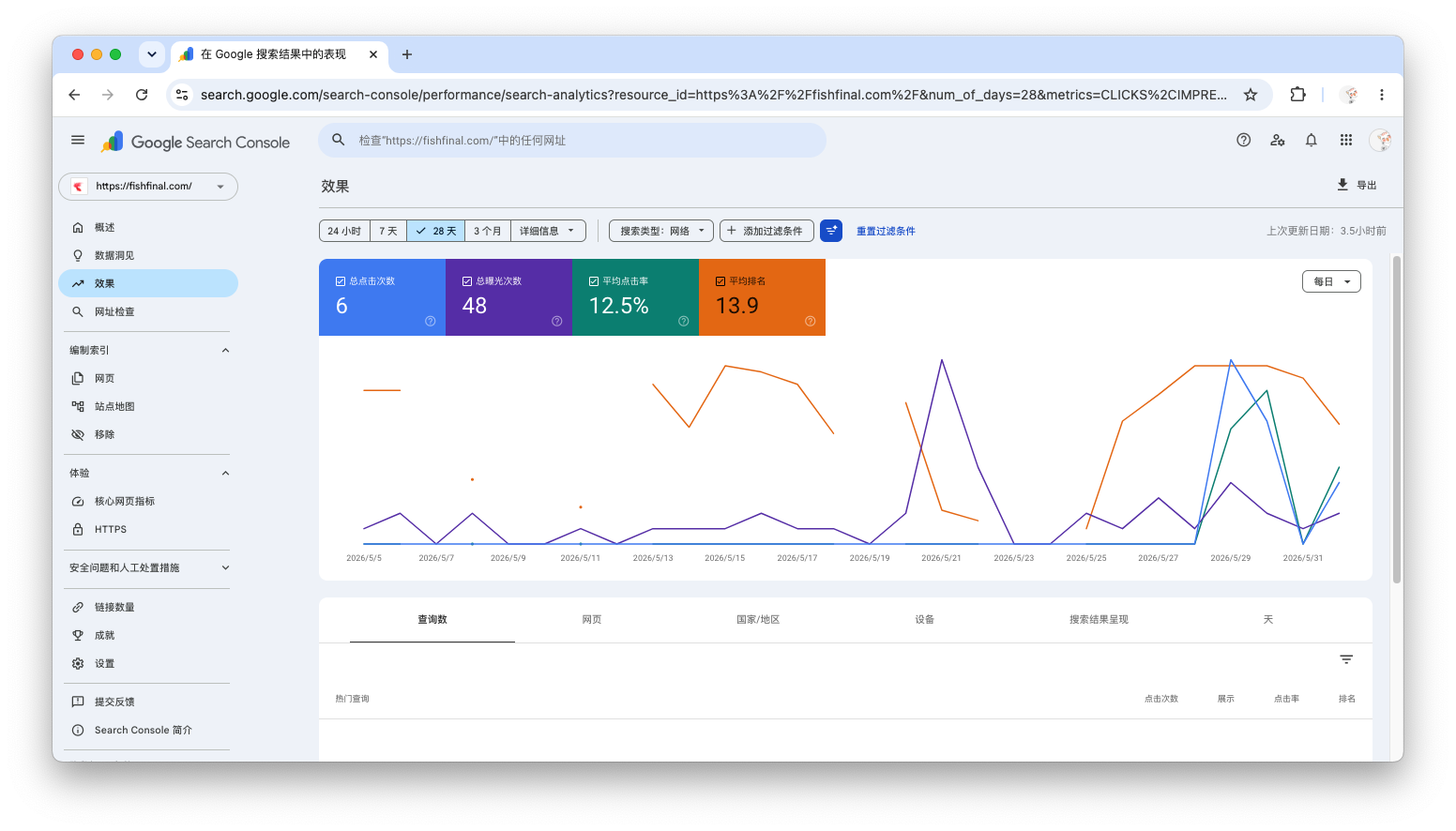
GSC 6-Month Performance Report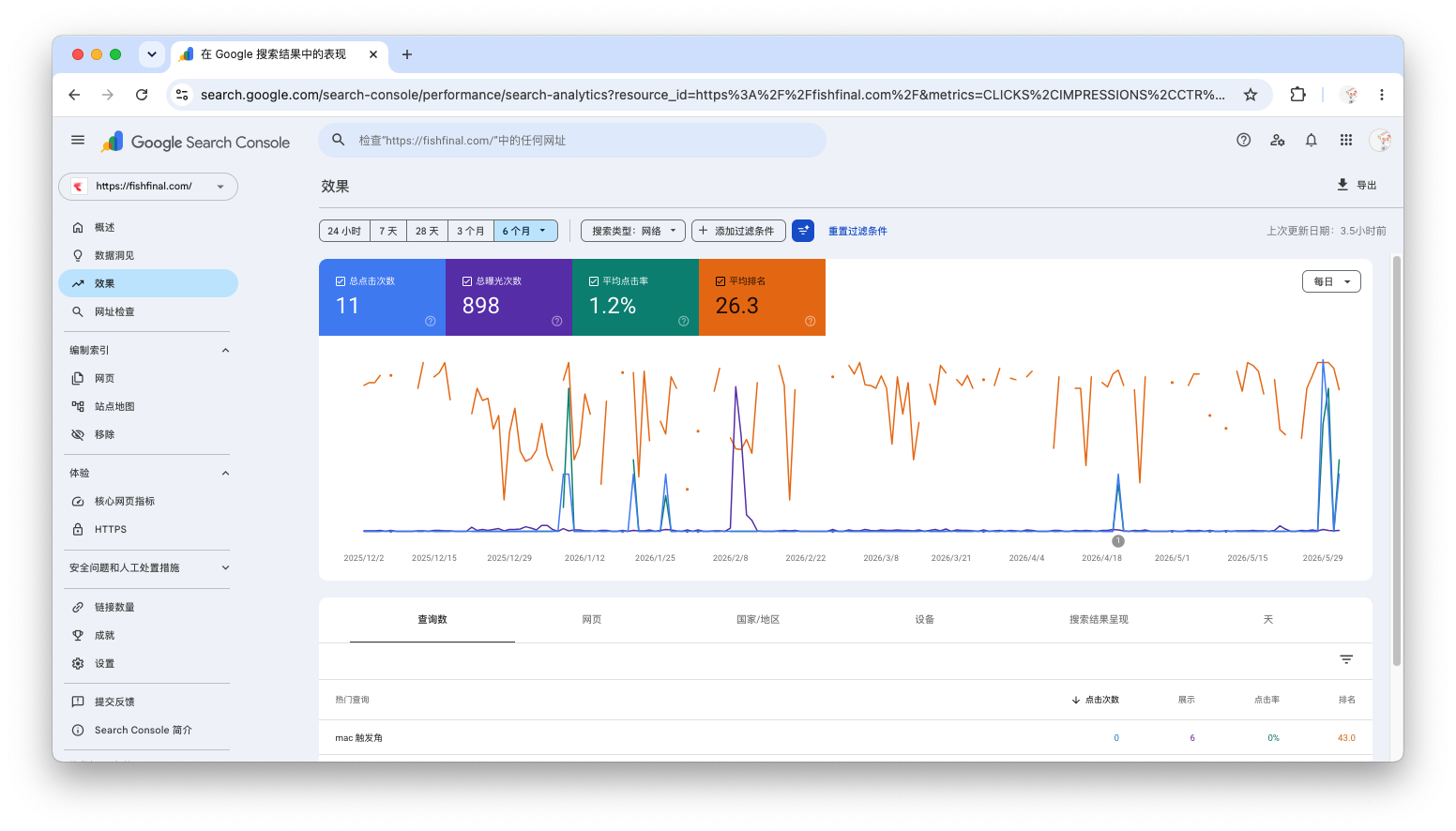
GSC 12-Month Performance Report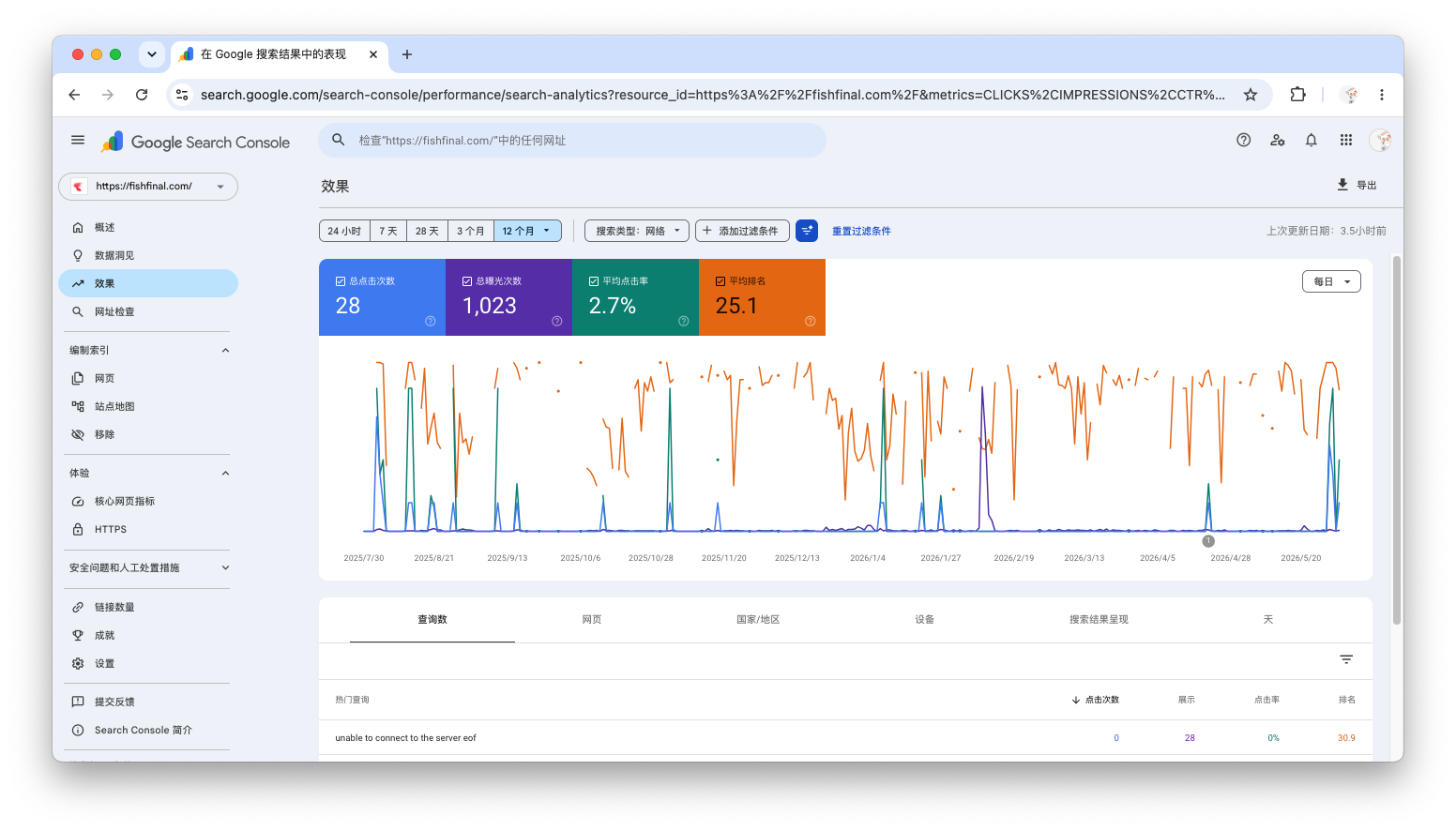
The data is clear at a glance: only 6 clicks in the past 28 days, only 11 clicks in the past 6 months, and a cumulative total of 28 clicks since launch. For a tech blog that has been online for almost a year, this number is almost equivalent to zero exposure.
What's even stranger is that my robots.txt It is obviously correct:
text
User-agent: *
Allow: /
Sitemap: https://fishfinal.com/sitemap.xml
The sitemap has also been submitted successfully, and all configurations look fine.Why doesn't Google continuously index and display my articles?
2. Clearing the Clouds to See the Sun: Finding the Real Technical Obstacle
2.1 Accidental Discovery
While troubleshooting Cloudflare settings, I found a suspicious option.
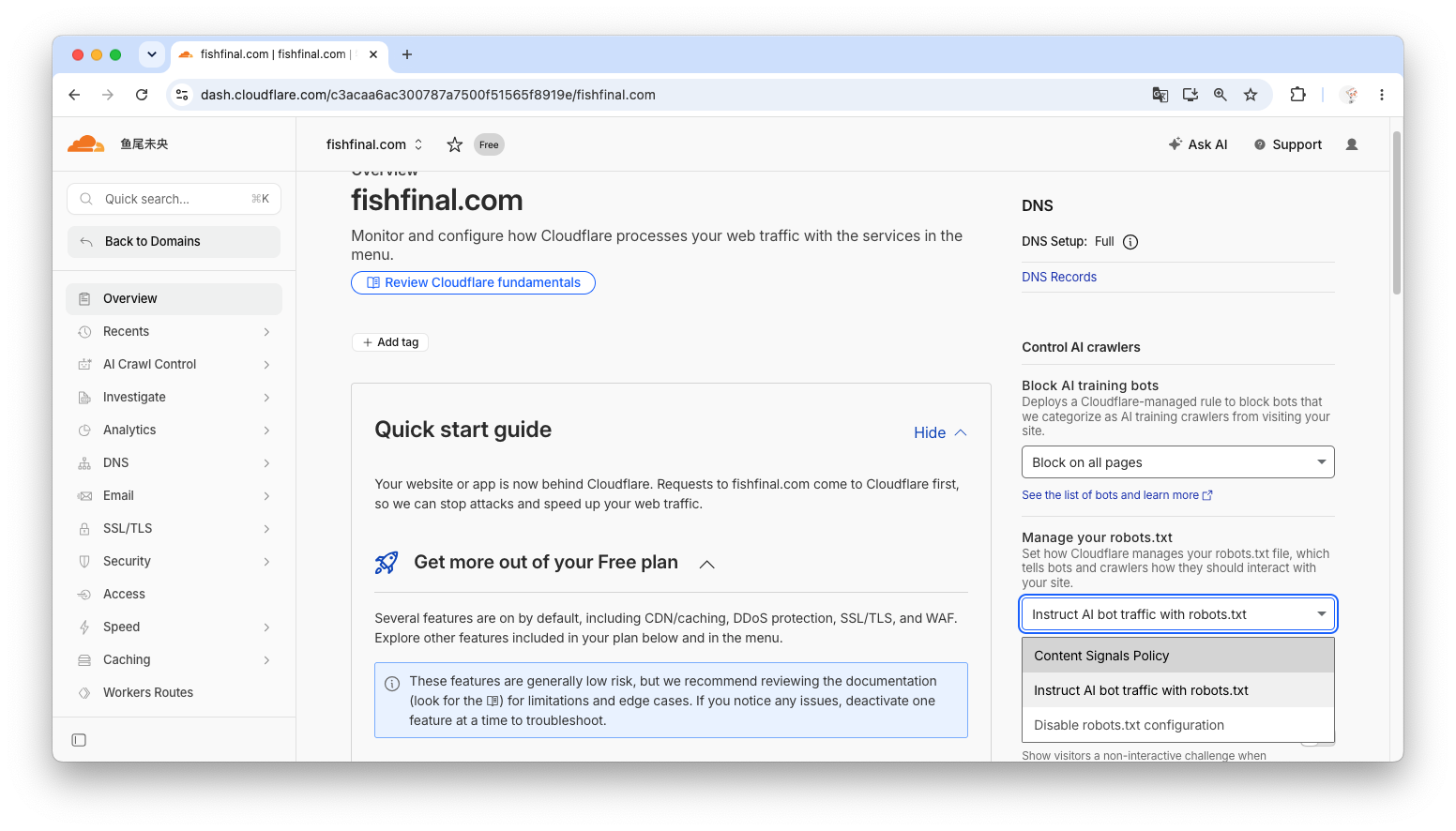
On the Cloudflare dashboard Control AI crawlers In the card, there is one item Block AI training bots:
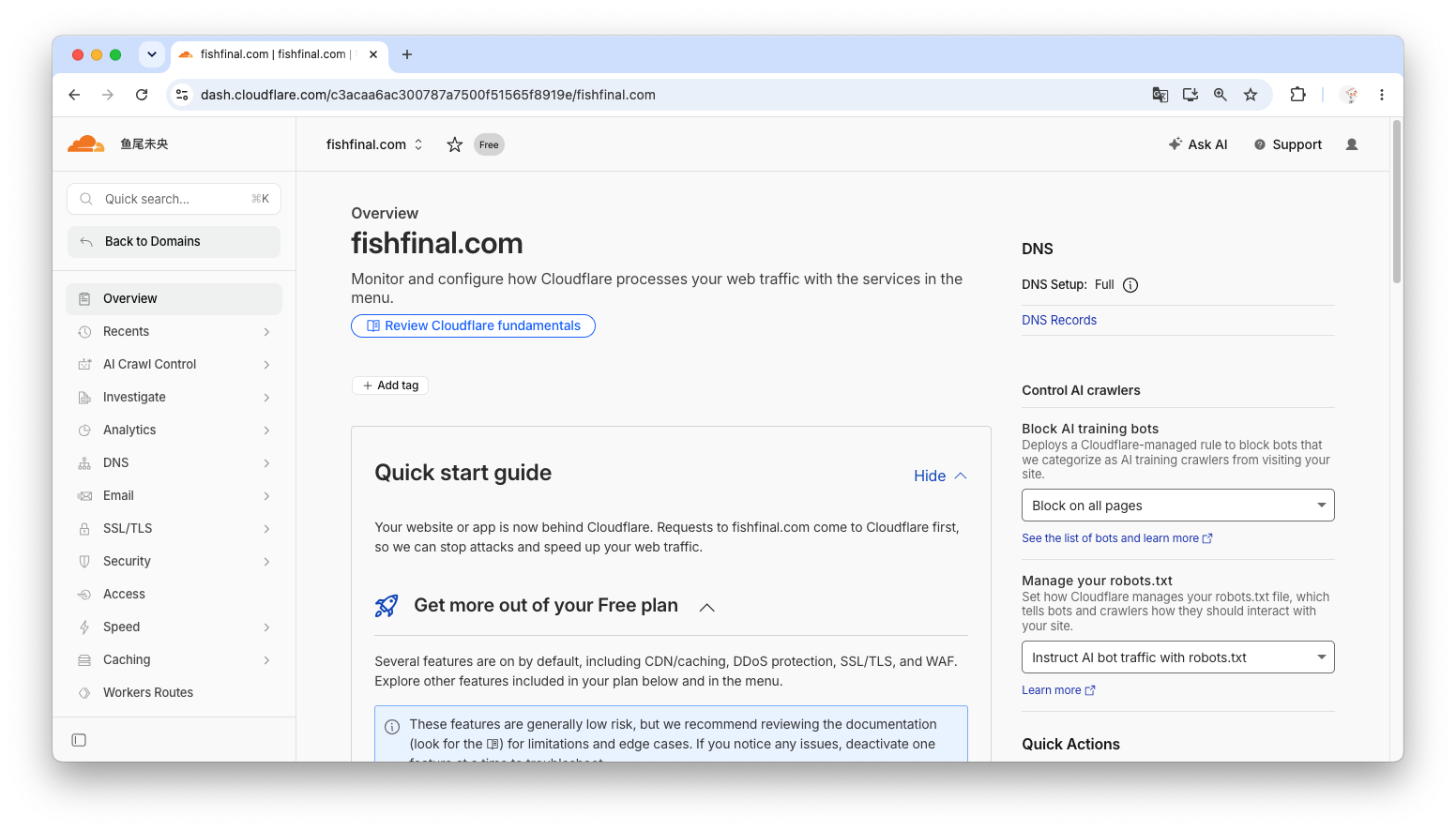
After clicking, I saw a dropdown option:
Block on all pages (currently selected)
Block only on hostnames with ads
Do not block (allow crawlers)
I changed it to Do not block (allow crawlers).
2.2 But the problem has not been solved.
Strangely, after the modification, access https://fishfinal.com/robots.txt, the content remains unchanged. The file is still full of Cloudflare's managed rules, and the most fatal part is this line:
text
User-agent: Google-Extended
Disallow: /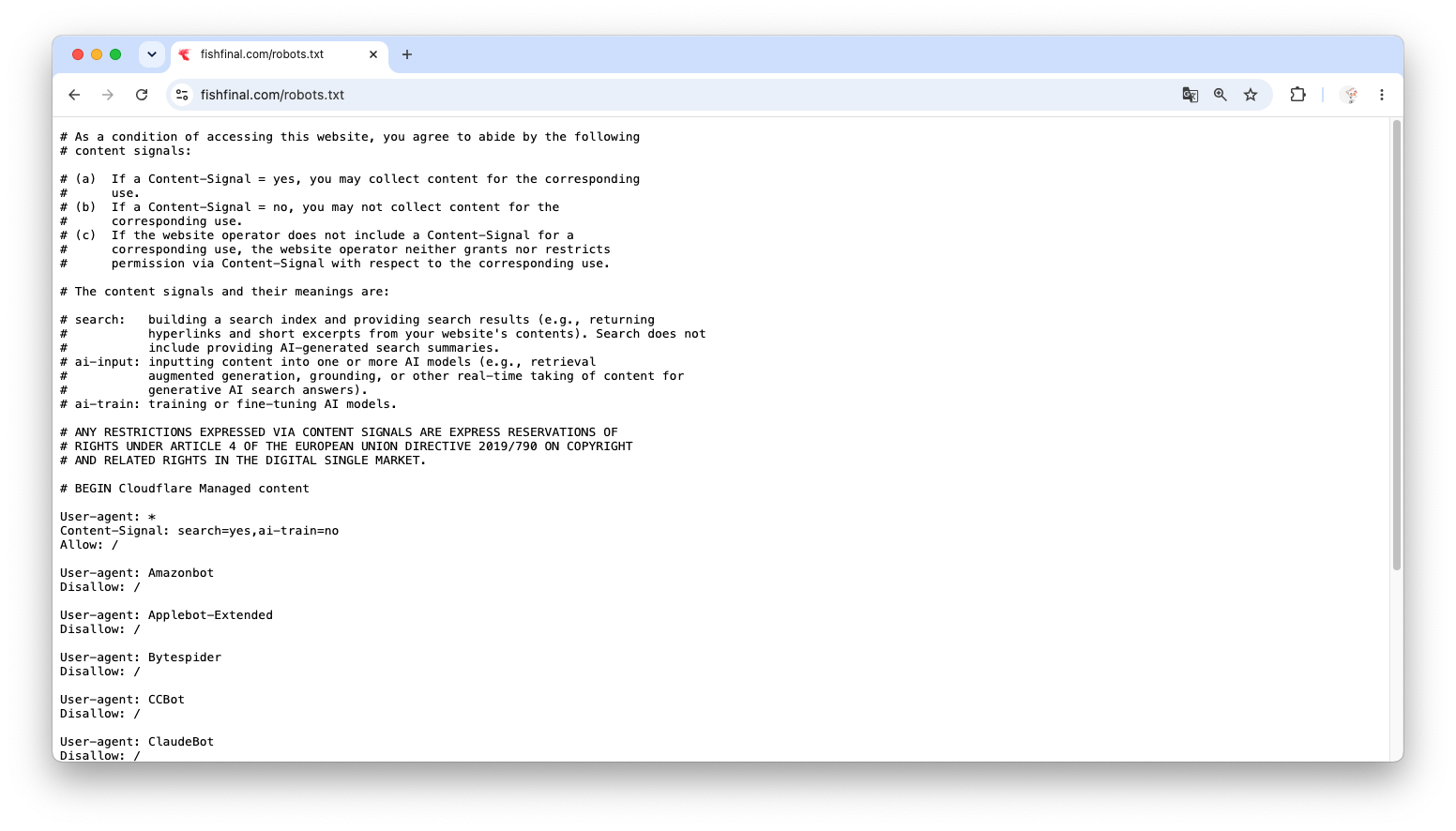
Google-Extended is Google's crawler specifically used for AI training and content understanding. Blocking it will be interpreted by Google as the site administrator having reservations about the use of content for search-related AI processing, thereby also affecting the main crawler.Googlebot willingness to crawl.
This is the root of the problem!
2.3 Final Solution
After repeated attempts, I found that in the same card, there is another setting:Manage your robots.txt, below there is a “Disable robots.txt configuration” button.
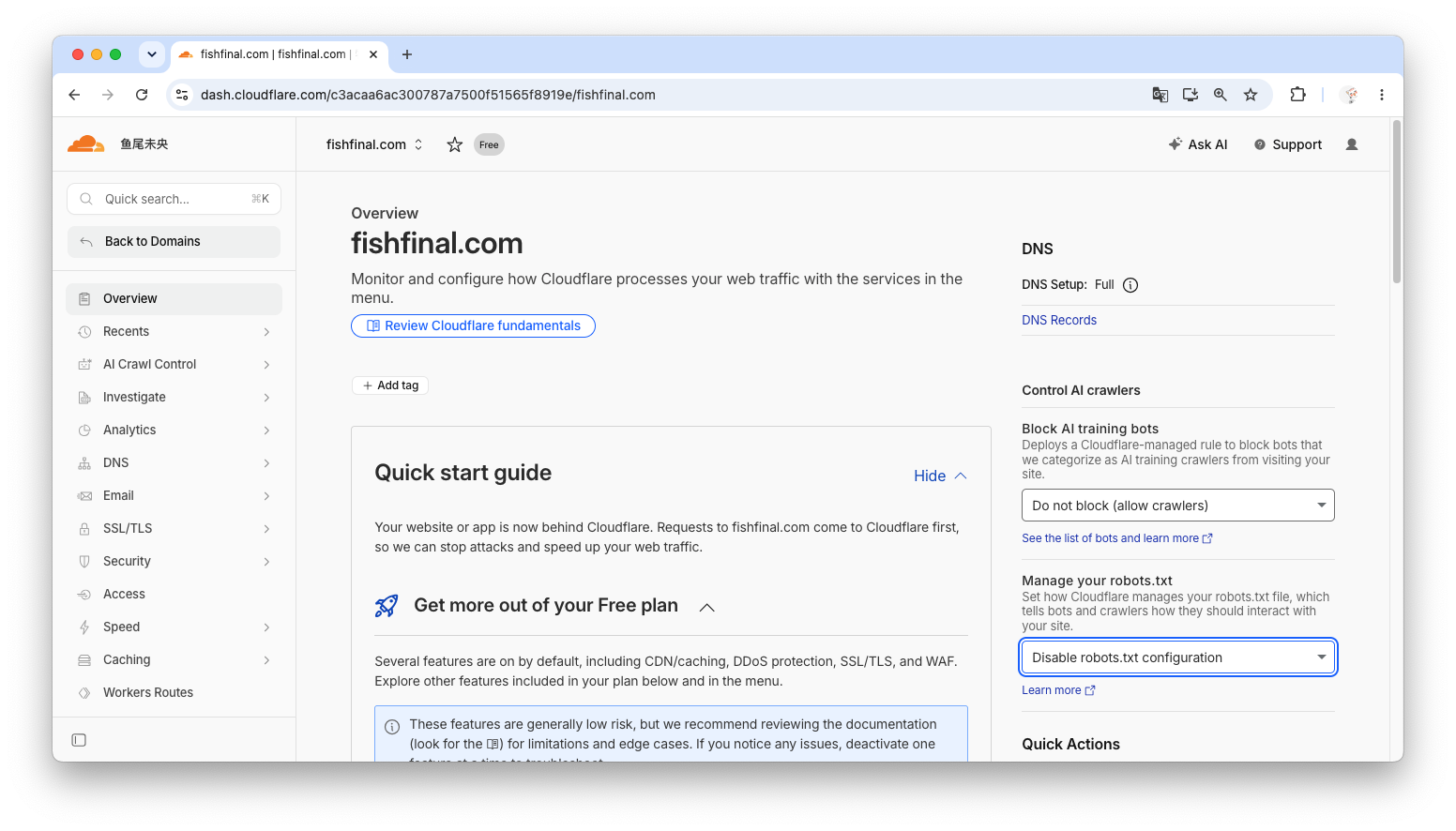
After clicking, Cloudflare will no longer host it.robots.txt, but instead directly pass through the static files on my server.
Visit again https://fishfinal.com/robots.txt, the content has finally become the concise version I wanted:
text
User-agent: *
Allow: /
Sitemap: https://fishfinal.com/sitemap.xml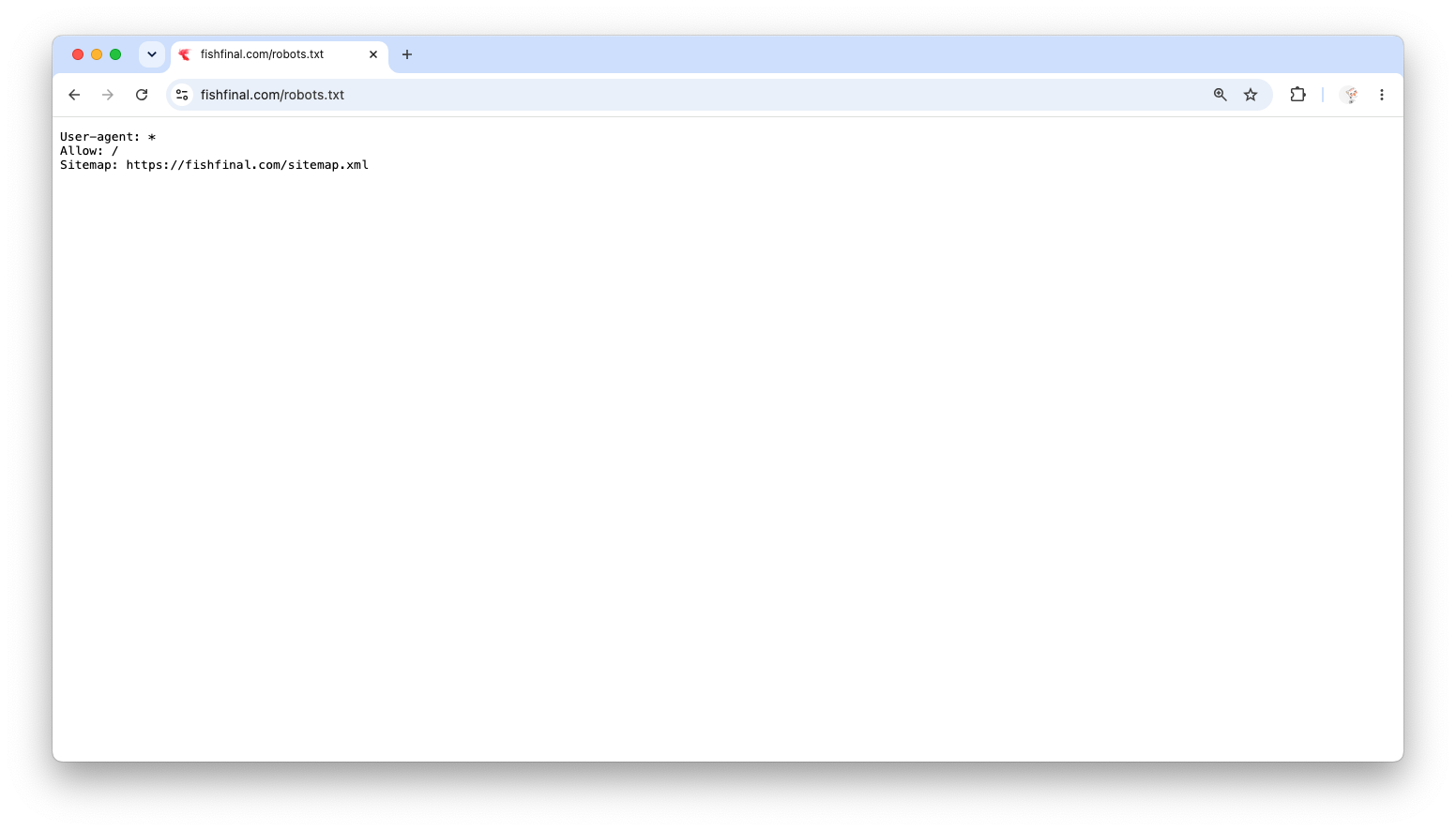
Experience Summary: Cloudflare's Block AI training bots is an invisible killer for new sites. If you need SEO, be sure to check and turn it off, or simply disable Cloudflare's robots.txt the hosting of.
3. Taking a Radical Approach: Restructuring the Blog Directory Structure
3.1 Why is refactoring needed?
Solve robots.txt After the issue, I found that the indexing had improved slightly, but it was still not ideal. I began to examine the blog's directory structure.
Original directory structure:
docs/
├── golang/
│   ├── concurrent-safe-local-map.md
│   └── deploy-production-fhs-standard.md
├── linux/
│   ├── fhs-standard.md
│   └── syslog/
│       └── syslog-basics-protocol-rsyslog.md
├── kubernetes/
│   └── csi-deep-dive-guide.md
├── security/
│   └── domain-hijacking-forensics-go.md
└── index.md
The corresponding URL structure is:
https://fishfinal.com/golang/concurrent-safe-local-maphttps://fishfinal.com/linux/syslog/syslog-basics-protocol-rsyslog
Where is the problem?
| Question | Explanation |
|---|---|
| semantic ambiguity | It’s like a technical documentation repository, not a personal blog. Google has difficulty distinguishing “original thinking” from “technical notes.” |
| identity weakening | There is no independent /about,/archive The page and the blog do not have a strong “personification” attribute. |
| Poor scalability | In the future, if I want to write non-technical articles, there’s no good place to put them. |
3.2 Target Structure
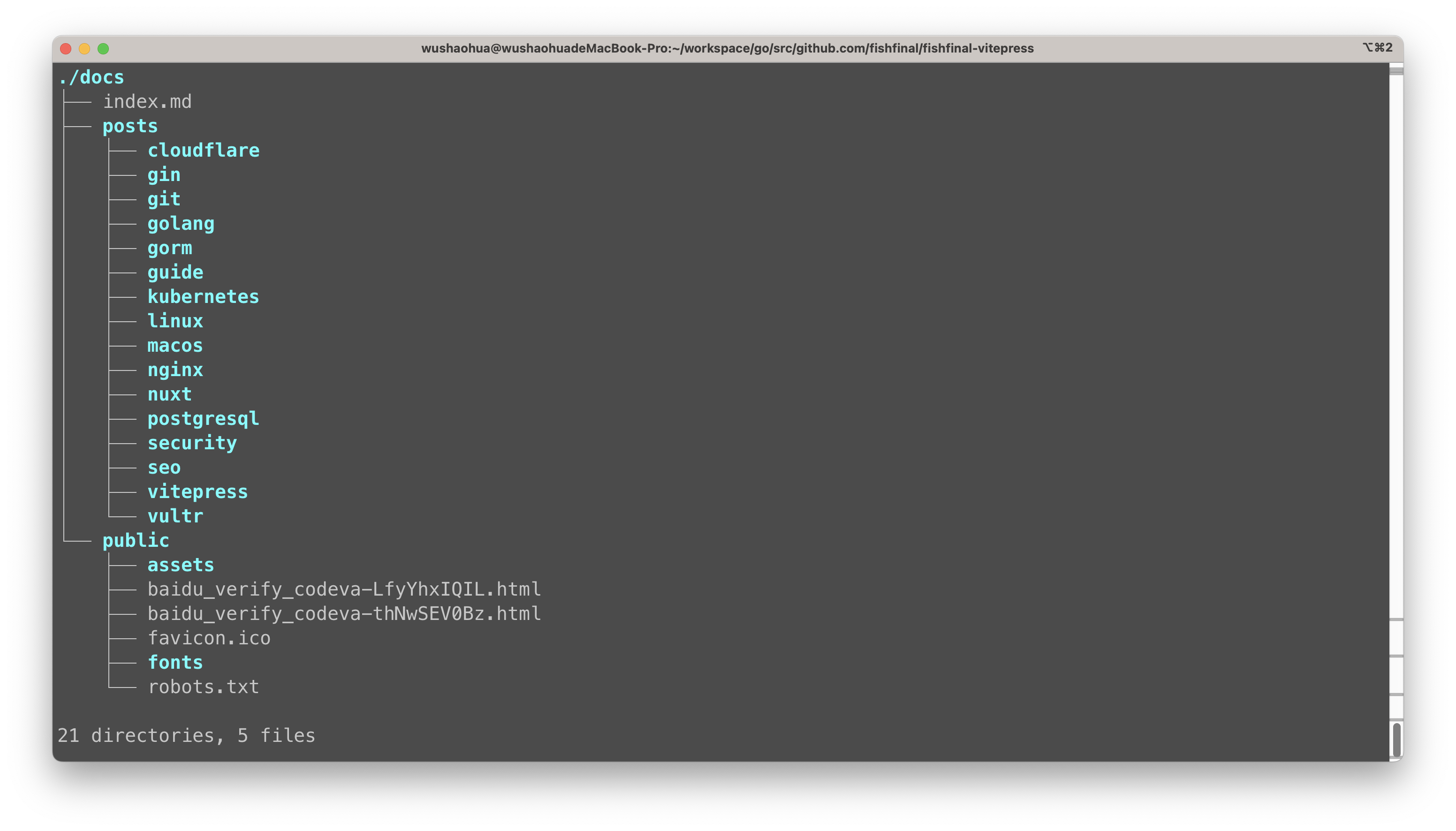
I decided to migrate all articles uniformly to /posts/ Under the directory:
docs/
├── index.md                 # Blog Homepage
├── about.md                 # About Me (Newly Added)
├── archive.md               # Article Archive (New)
├── posts/                   # All technical articles
│   ├── golang/
│   │   └── concurrent-safe-local-map.md
│   ├── linux/
│   │   └── syslog/
│   │       └── syslog-basics-protocol-rsyslog.md
│   └── ... (other articles)
└── public/                  # Static resources
New URL structure:
https://fishfinal.com/posts/golang/concurrent-safe-local-maphttps://fishfinal.com/abouthttps://fishfinal.com/archive
3.3 Migration Operations
Step 1: Move the file
bash
# Create new directory
mkdir docs/posts

# Move all technical article directories under posts.
mv docs/golang docs/posts/
mv docs/linux docs/posts/
mv docs/kubernetes docs/posts/
# ... The same applies to other directories.
Step 2: Create about.md and archive.md
At docs/ Create these two files in the root directory and write basic content into them.
💡 Note
For some reason, when this blog post was written, the blog had not yet created about.md and archive.md to implement the “About” and “Archive” features! These will be implemented gradually later. Thank you!
Step 3: Update the VitePress sidebar configuration
Modify docs/.vitepress/config.ts in themeConfig.sidebar, take all links from /golang/xxx Change to /posts/golang/xxx:
typescript
// Before modification
export default {
  '/': [
    { text: 'Golang Project Deployment', link: '/golang/deploy-production-fhs-standard' },
  ]
}

// After modification
export default {
  '/': [
    { text: 'Golang Project Deployment', link: '/posts/golang/deploy-production-fhs-standard' },
  ]
}
Step 4: Update the navigation bar
typescript
nav: [
  { text: 'Home', link: '/' },
  { text: 'About', link: '/about' },
  { text: 'Archive', link: '/archive' },
]
4. Smooth transition: Configure 301 redirects
4.1 Why perform 301 redirects?
Google may have already indexed the old link (/golang/xxx). If deleted directly, users and search engines will see 404, and the existing weak weights will also be lost.
We need to configure 301 Permanent Redirect Point the old link to the new link.
4.2 Nginx Redirect Configuration
nginx
# 301 redirect old article URLs to the new structure
location ~ ^/(?!posts|public|index|about|archive).*\.html$ {
    rewrite ^/((?:[^/]+/)*[^/]+)\.html$ /posts/$1.html permanent;
}
Complete Nginx configuration:
nginx
server {
    listen 80;
    server_name fishfinal.com;
    return 301 https://$server_name$request_uri;
}

server {
    listen 443 ssl http2;
    server_name fishfinal.com;

    ssl_certificate /etc/nginx/ssl/fishfinal.com.pem;
    ssl_certificate_key /etc/nginx/ssl/fishfinal.com.key;

    # ... SSL other configuration ...

    location / {
        root /var/www/fishfinal-vitepress;
        index index.html;
        try_files $uri $uri/ @router;
    }

    location @router {
        rewrite ^.*$ /index.html last;
    }

    # 301 redirect old article URLs to the new structure
    location ~ ^/(?!posts|public|index|about|archive).*\.html$ {
        rewrite ^/((?:[^/]+/)*[^/]+)\.html$ /posts/$1.html permanent;
    }
}
💡 Note
After the configuration is complete, execute sudo nginx -t && sudo systemctl reload nginx Make the configuration take effect.
4.3 Verify redirection
use curl Command test:
bash
curl -I https://fishfinal.com/linux/syslog/syslog-basics-protocol-rsyslog.htmlExpected output:
HTTP/2 301
date: Sat, 06 Jun 2026 10:36:48 GMT
content-type: text/html
location: https://fishfinal.com/posts/linux/syslog/syslog-basics-protocol-rsyslog.html
server: cloudflare
nel: {"report_to":"cf-nel","success_fraction":0.0,"max_age":604800}
cf-cache-status: DYNAMIC
report-to: {"group":"cf-nel","max_age":604800,"endpoints":[{"url":"https://a.nel.cloudflare.com/report/v4?s=6dzKcaQVMf1ouKIb%2BZIOKN5AVowg42J4z8uLJRYho4xh9cLD1N%2FWdpgmlJN516gMQPAhvjkWwuTHCMwT9aCP0H6EL3FzYzWKoeEqb%2F8fxOebXlnncYdlDkSER%2FOAnJIF"}]}
cf-ray: a076c72fedc93a69-LAX
alt-svc: h3=":443"; ma=86400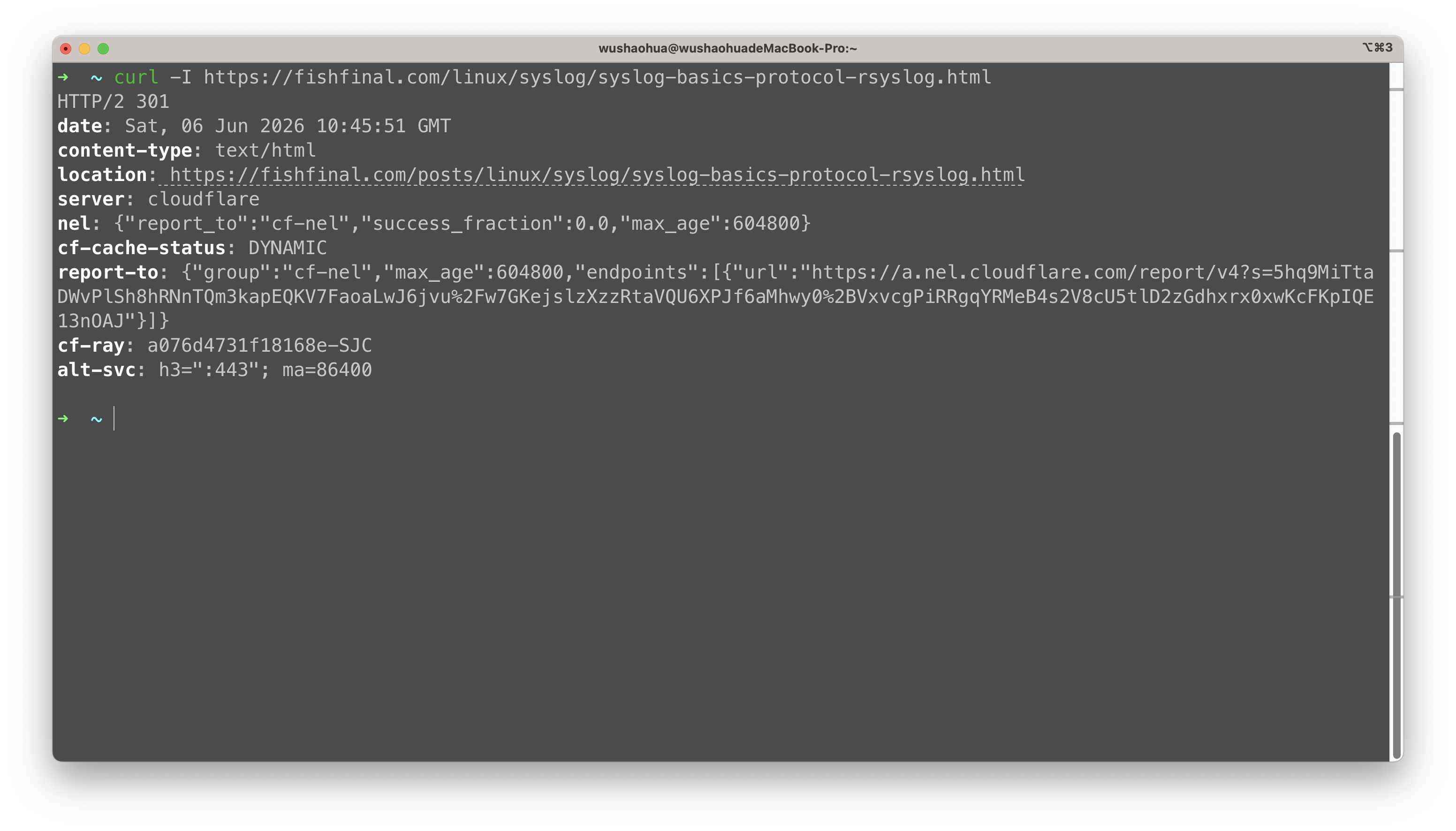
5. Wrap-up: Notify Google and verify the results
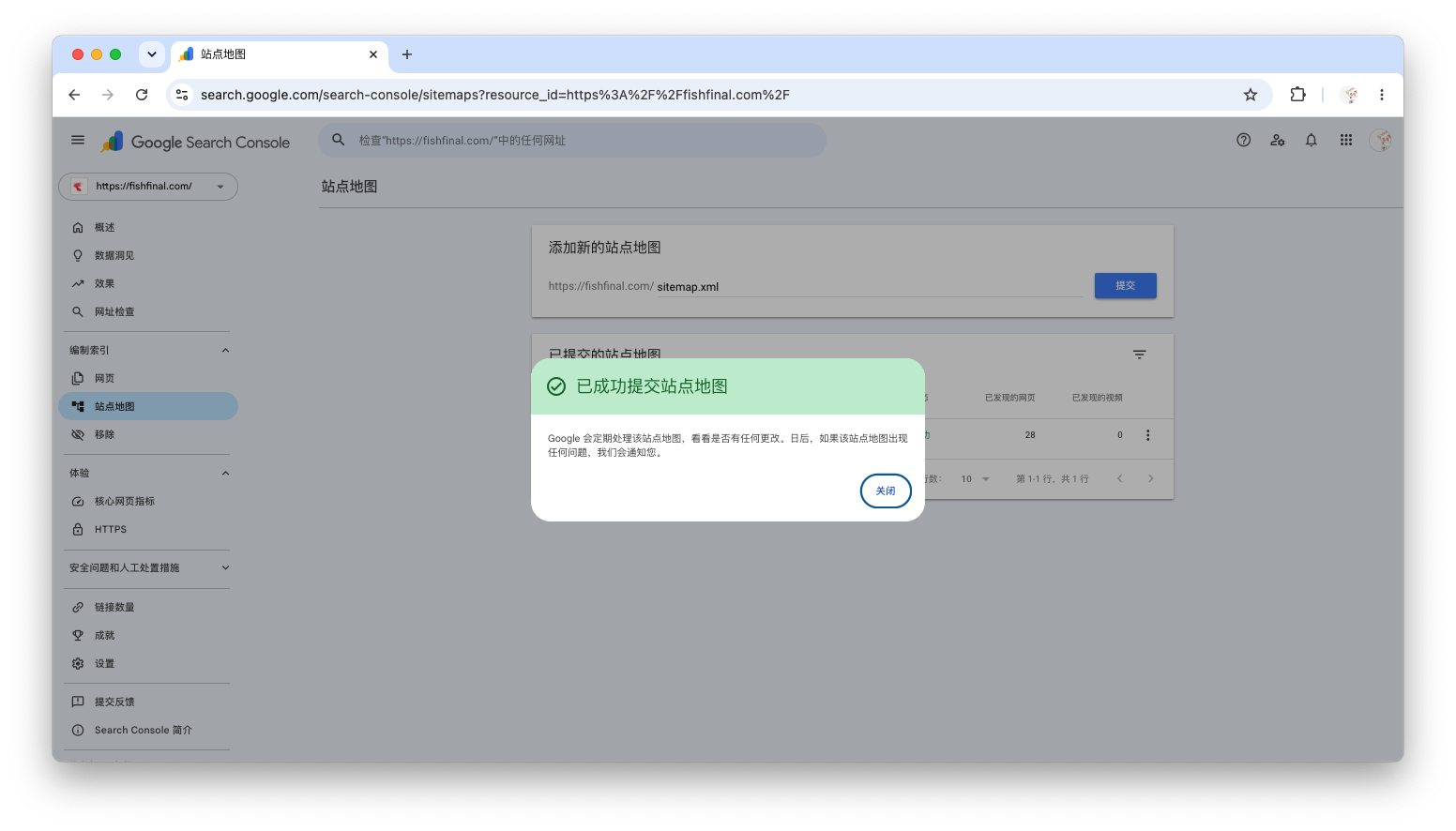
5.1 Submit a new sitemap
In GSC, go to Sitemap→ Input sitemap.xml→ Click Submit.
5.2 Manually Request Indexing of Core Pages
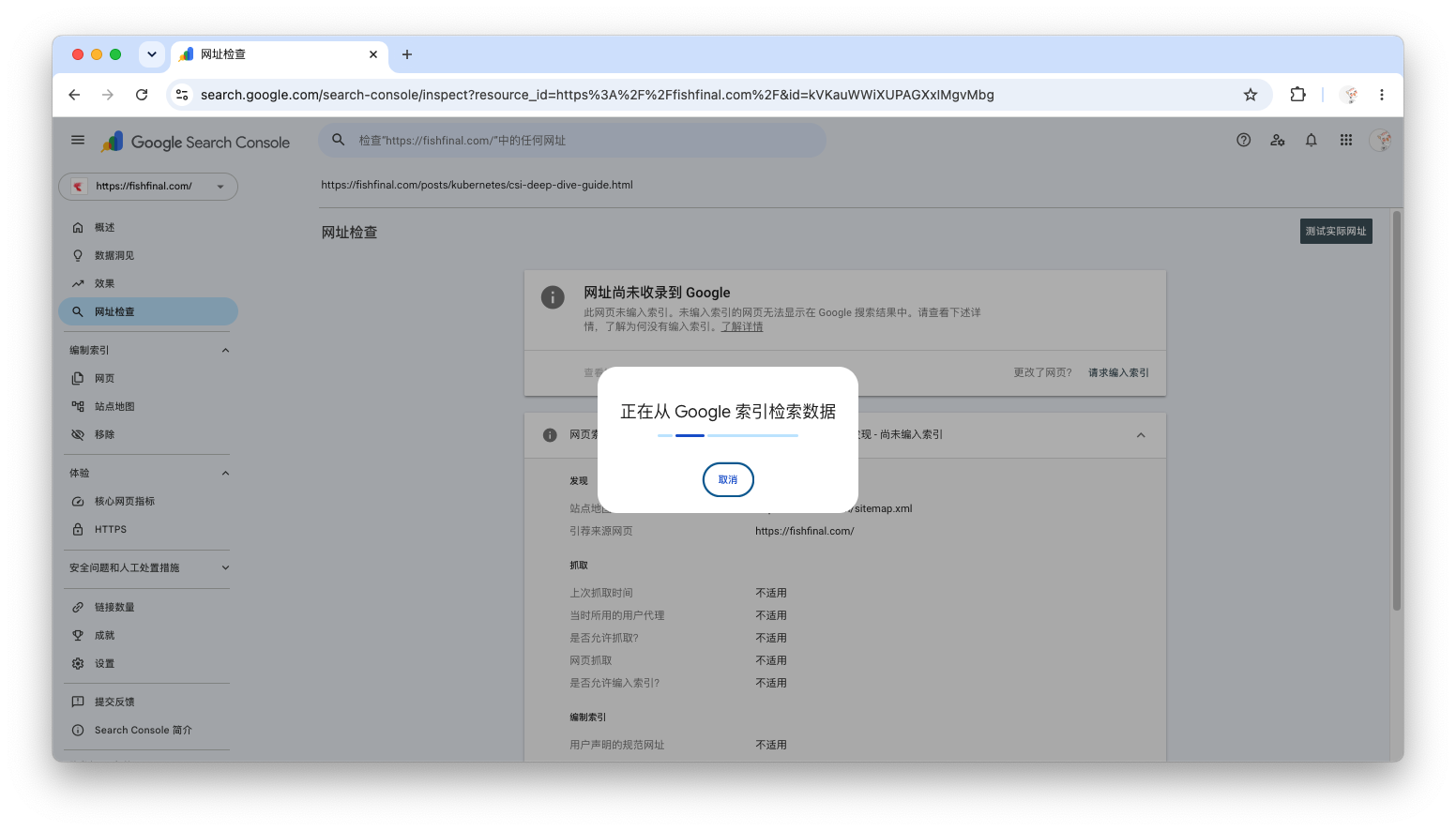
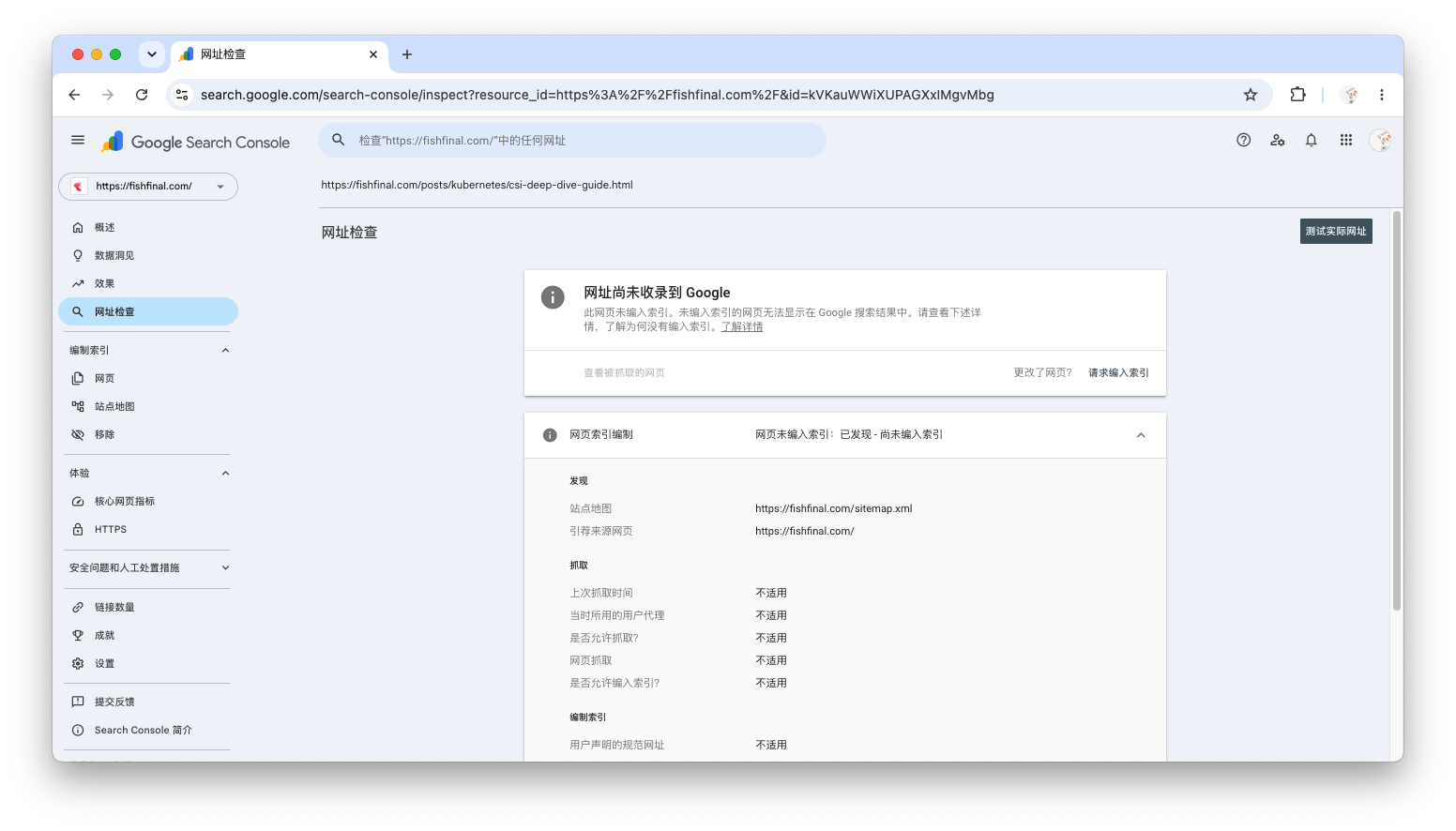
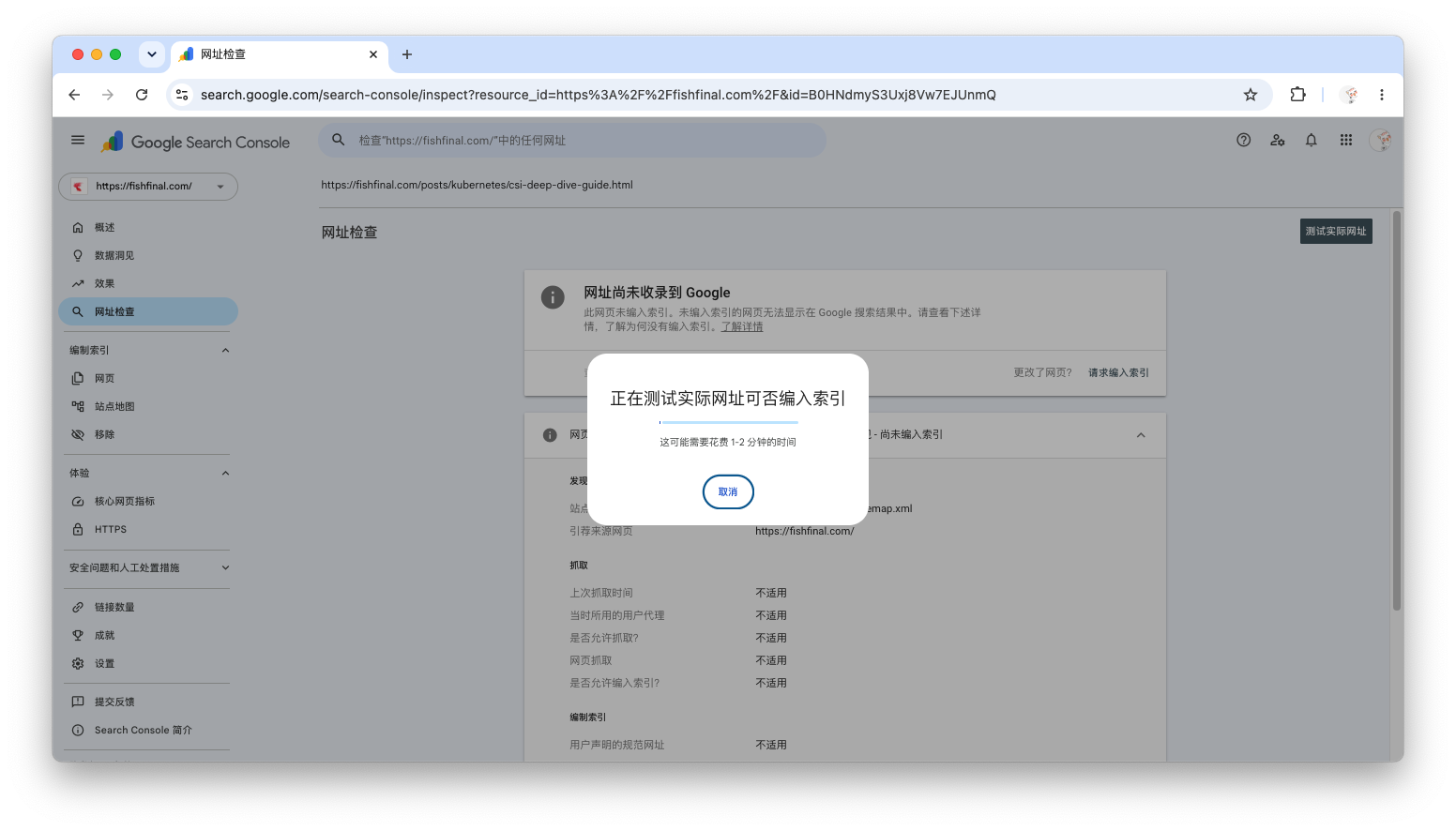
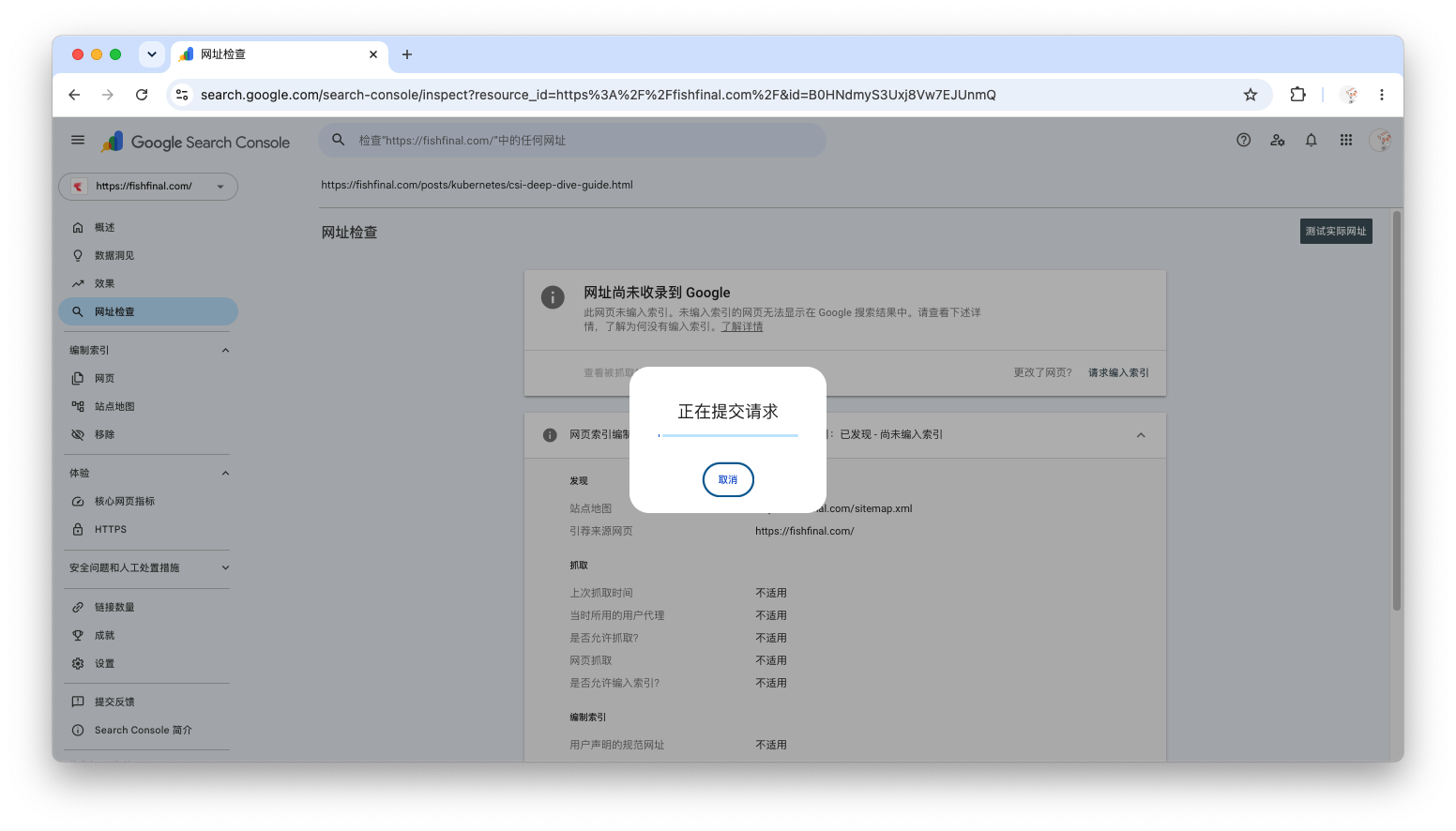
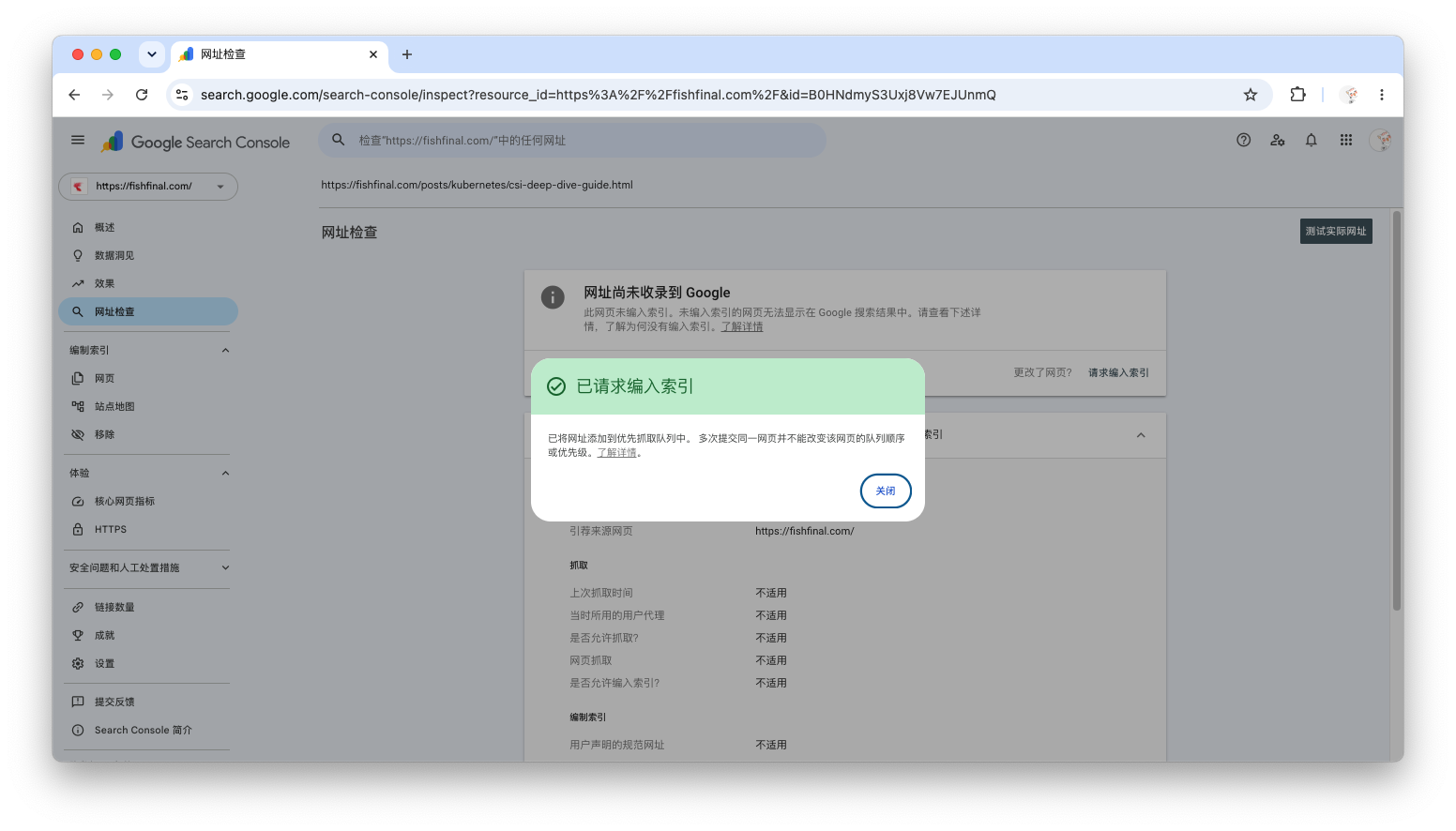
in GSC's URL check In the tool, enter the following URLs one by one and click Request indexing:
https://fishfinal.com/(Homepage)https://fishfinal.com/abouthttps://fishfinal.com/archiveThe 5-10 most important new articles
Screenshot location 11: GSC URL Inspection - Request Indexing Screenshot (to be added)
5.3 Monitoring Effect
Over the next 2-4 weeks, focus on GSC Effect In the report:
Total impressions: Whether to start growing
Total clicks: Whether it starts rising from near 0
Number of indexed pages: Whether to start increasing from 13
💡 Note
Screenshot of the post-refactoring results report data; to be supplemented, can be updated after 2 weeks, thank you.
6. Summary and Reflection
6.1 Key Lessons Learned
| Question | Solution |
|---|---|
| Cloudflare blocks AI crawlers by default | Check Control AI crawlers, Close Block AI training bots, or directly Disable robots.txt configuration |
| The semantics of the directory structure are unclear | Uniformly migrate to /posts/, Add /about,/archive |
| Old link is invalid | Nginx 301 redirect |
| Google is not indexing new pages | GSC manual sitemap submission + manual indexing request |
6.2 The Nature of Technology
This experience made me deeply understand one truth:
Technical SEO configuration is merely an admission ticket; what ultimately determines a website's traffic is the uniqueness and value of its content.
Currently, only 13 posts on my blog are indexed. The core reason is not a technical issue, but rather:
The website’s authority is too low (new site, no backlinks)
Content homogeneity is severe (topics like "Golang deployment" and "Kubernetes guide" are too competitive)
Lack of unique, in-depth articles that solve specific problems
6.3 Next Steps
Continuous output Write articles that truly solve specific problems (for example, "A Troubleshooting Guide for Encountering unexpected EOF in json.Unmarshal in Golang")
Internal link optimization: Establish denser link relationships between articles
Get backlinks: Share high-quality articles in the tech community
6.4 For Other Technical Bloggers
If you have also encountered a similar problem, please check these three points:
Is Cloudflare's “Block AI training bots” turned off?
your
robots.txtAllowGoogle-ExtendedReally?Is your blog's directory structure clear? (uniformly use
/posts/is a good habit)
Do these three things well, and you’ve already beaten 80% of technical blogs.